Restaurant Kitchen Display System in Nepal: How KDS Improves Kitchen Efficiency
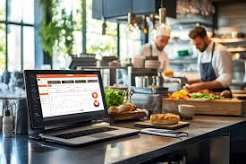
Running a busy restaurant requires smooth coordination between the dining area, billing counter, and kitchen. When customer orders increase, relying on verbal communication or handwritten kitchen tickets can make it difficult to maintain speed and accuracy.
This is where a Kitchen Display System (KDS) can make a significant difference.
A Restaurant Kitchen Display System in Nepal allows restaurants to digitally send orders from the POS directly to kitchen screens. Instead of depending entirely on paper tickets, chefs and kitchen staff can see orders, track their preparation status, and organize their workload from a centralized digital display.
For restaurants dealing with busy service periods, multiple kitchen stations, and growing order volumes, KDS can become an important part of modern restaurant management.
What Is a Kitchen Display System?
A Kitchen Display System (KDS) is a digital system that displays restaurant orders on screens inside the kitchen.
When a waiter or cashier enters an order through the restaurant POS system, the order can be sent directly to the appropriate kitchen display.
For example:
Customer → Waiter/POS → KDS → Kitchen → Order Ready → Customer
Instead of printing or manually carrying a kitchen order ticket, kitchen staff can receive the information digitally.
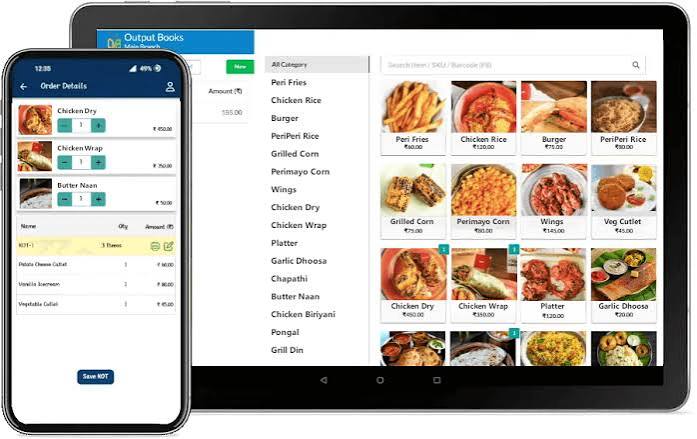
A KDS can display details such as:
- Table number
- Ordered food items
- Quantity
- Special instructions
- Order time
- Order status
- Preparation priority
This gives kitchen staff a clearer view of what needs to be prepared.
How Does a Restaurant KDS Work?
A KDS usually works as part of an integrated restaurant POS system.
The process is relatively simple.
Step 1: Customer Places an Order
A customer orders food through a waiter, cashier, QR ordering system, or another supported ordering channel.
Step 2: Order Is Entered Into the POS
The restaurant employee enters the order into the POS system.
Step 3: Order Is Sent to the Kitchen
The POS automatically sends the relevant order information to the kitchen display.
Step 4: Kitchen Staff Prepare the Order
Chefs and kitchen employees see the order on their assigned screen and begin preparation.
Step 5: Order Status Is Updated
Depending on the system, staff can update the order from pending to preparing, ready, or completed.
Step 6: Food Is Served
Once the food is ready, the front-of-house team can collect and serve it.
This creates a connected workflow between restaurant ordering and kitchen operations.
KDS vs Traditional Paper KOT
Traditional Kitchen Order Tickets have been used by restaurants for years. They are simple, familiar, and inexpensive.
However, paper-based systems can become difficult to manage during busy periods.
| Traditional Paper KOT | Kitchen Display System |
|---|---|
| Uses printed or handwritten tickets | Uses digital kitchen screens |
| Tickets can be misplaced | Orders remain visible in the system |
| Limited order tracking | Real-time order status |
| Requires paper and printing | Reduces paper dependency |
| Difficult to prioritize busy orders | Easier order prioritization |
| Manual communication may be required | Orders are sent digitally |
| Limited visibility | Centralized kitchen workflow |
A KDS does not necessarily mean restaurants have to completely eliminate KOT printers. Depending on the restaurant's workflow, digital displays and printed tickets can also work together.
Why Do Restaurants in Nepal Need a Kitchen Display System?
Restaurants in Nepal are becoming increasingly technology-driven. Customers expect faster service, accurate orders, convenient ordering, and efficient payment experiences.
At the same time, restaurant owners need better control over daily operations.
A KDS can help address several common operational challenges.
1. Faster Order Communication
One of the biggest advantages of KDS is the speed at which orders reach the kitchen.
Once an order is entered into the POS, it can appear on the kitchen screen without requiring staff to physically carry a ticket.
This can be especially useful during lunch and dinner rushes.
2. Fewer Communication Errors
Verbal instructions and handwritten tickets can sometimes lead to mistakes.
An order might be misunderstood, misplaced, or entered incorrectly.
A digital KDS displays the order information clearly, helping kitchen staff understand exactly what needs to be prepared.
3. Better Kitchen Organization
A busy kitchen may have multiple orders being prepared at the same time.
A KDS gives kitchen staff a centralized view of incoming orders.
Staff can organize their work based on:
- Order time
- Priority
- Preparation status
- Kitchen station
- Food category
This can make kitchen operations more structured.
4. Better Coordination Between Kitchen and Service Staff
Communication between waiters and kitchen staff is critical.
When an order is ready, the front-of-house team needs to know.
A digital workflow can make it easier for restaurant employees to understand the status of an order without repeatedly asking kitchen staff.
5. Reduced Paper Dependency
Restaurants using traditional KOT systems may consume a significant amount of paper during busy service periods.
A digital KDS can reduce the restaurant's dependence on printed kitchen tickets.
This can also reduce the need to store or dispose of large numbers of paper slips.
Key Features of a Kitchen Display System
When selecting Kitchen Display System Software in Nepal, restaurant owners should consider the features that can improve their actual workflow.
Digital Order Display
Orders should appear clearly on kitchen screens with all relevant details.
Real-Time Order Updates
Kitchen staff should be able to update order statuses as preparation progresses.
Order Prioritization
A good KDS can help kitchen teams identify older or priority orders so that service remains organized during peak periods.
Kitchen Station Management
Larger restaurants may have separate stations for:
- Grill
- Tandoor
- Pizza
- Bakery
- Bar
- Main kitchen
- Desserts
KDS can help route relevant orders to the appropriate station.
Special Instructions
Customers often request modifications such as:
- Less spicy
- No onion
- Extra cheese
- No garlic
- Special preparation
A digital system can display these instructions clearly for kitchen staff.
Order History
Digital order records can make it easier for managers to review previous transactions and identify operational patterns.
POS Integration
KDS works best when it is integrated with the restaurant's POS system rather than functioning as a completely separate platform.
How KDS Improves Restaurant Efficiency
The main purpose of a Kitchen Display System is not simply to replace paper.
Its real value comes from connecting different parts of restaurant operations.
For example, when an order is entered through a POS system, it can automatically reach the appropriate kitchen station. Kitchen staff can then prepare the food while front-of-house employees monitor its progress.
SMTech's restaurant POS solution includes Digital Kitchen Display functionality, where orders can be displayed on kitchen screens as soon as they are placed. The system is designed to improve kitchen coordination, reduce order mistakes, and support faster food preparation.
This creates a more connected restaurant workflow.
KDS for Different Types of Restaurants
A Kitchen Display System can be useful for different types of food businesses.
Restaurants
Full-service restaurants can use KDS to manage dine-in orders and coordinate multiple kitchen stations.
Cafés
Busy cafés can use digital kitchen displays to organize food and beverage orders during peak hours.
Fast-Food Restaurants
Fast-food businesses often handle a large number of orders in a short period. A KDS can help employees prioritize and prepare orders efficiently.
Hotels
Hotels with restaurants can use KDS as part of a broader hotel and restaurant management system.
Cloud Kitchens
Cloud kitchens depend heavily on efficient order processing. A KDS can help centralize orders coming from different channels.
Multi-Outlet Restaurants
Restaurant chains can use integrated technology to standardize order management across different outlets.
KDS and Restaurant POS Integration
A Kitchen Display System becomes even more powerful when it is integrated with a restaurant POS.
Instead of having separate systems for ordering, kitchen communication, and billing, an integrated platform can connect these processes.
For example:
Order Entry → POS → KDS → Kitchen Preparation → Billing → Reporting
This reduces duplicate data entry and helps maintain consistency throughout the restaurant.
SMTech's Restaurant & POS Software combines kitchen display functionality with other restaurant management features such as table management, inventory tracking, remote reporting, and online ordering.
KDS and Inventory Management
Kitchen efficiency is closely connected with inventory management.
If the restaurant does not know what ingredients are available, kitchen operations can quickly become complicated.
An integrated restaurant management system can connect sales and inventory information.
For example, when an order is processed, inventory levels can be updated based on the restaurant's configured system.
This can help restaurant managers monitor:
- Ingredient usage
- Stock levels
- Low-stock items
- Popular menu items
- Purchasing requirements
- Potential food wastage
SMTech's restaurant POS solution includes automated inventory tracking and low-stock alerts alongside its kitchen display functionality.
How KDS Can Improve Customer Experience
Customers may never see the kitchen display screen, but they can notice its impact.
When kitchen operations are organized, restaurants can potentially provide:
- Faster service
- More accurate orders
- Better communication
- More consistent preparation
- Shorter waiting times
A smoother kitchen workflow can therefore contribute to a better overall dining experience.
How to Choose the Best Kitchen Display System in Nepal
Before selecting KDS software, restaurant owners should consider their actual operational requirements.
1. Ease of Use
Kitchen employees should be able to understand the system without extensive technical knowledge.
2. POS Integration
The KDS should work smoothly with the restaurant's ordering and billing system.
3. Multiple Kitchen Stations
If your restaurant has several preparation areas, check whether the system supports station-based order management.
4. Real-Time Updates
Orders should reach the kitchen quickly and reflect status changes accurately.
5. Scalability
Choose a solution that can grow with your restaurant.
A system suitable for one small outlet may not be enough if you eventually operate multiple branches.
6. Reporting
Restaurant managers should be able to access useful data to understand sales and operational performance.
7. Support and Training
Reliable technical support and employee training can make the transition to a digital system much easier.
Why Choose SMTech for Restaurant KDS?
SMTech provides restaurant technology designed to help businesses in Nepal modernize their daily operations.
Its Restaurant & POS Software combines multiple restaurant management functions, including:
- Digital Kitchen Display
- Table management
- Inventory tracking
- Remote reporting
- Online ordering
- Restaurant billing
- Order management
The platform is designed for different restaurant formats, including cafés, restaurants, bars, food courts, and cloud kitchens.
For restaurants looking to move beyond basic billing software, an integrated solution can provide better visibility across the entire operation.
Is a Kitchen Display System Worth It for a Restaurant?
For restaurants that handle a high volume of orders, a KDS can be a valuable operational upgrade.
It can help reduce manual communication, improve order visibility, organize kitchen workflows, and connect kitchen operations with the restaurant's POS system.
However, the right setup depends on the restaurant's size, kitchen layout, number of stations, order volume, and existing technology.
The goal should not simply be to purchase new technology. The goal should be to create a smoother workflow that helps employees work efficiently and customers receive better service.
Final Thoughts
The restaurant industry in Nepal is becoming increasingly digital, and kitchen operations are an important part of that transformation.
A Restaurant Kitchen Display System in Nepal can help restaurants replace fragmented kitchen communication with a more organized digital workflow.
From faster order transmission and better kitchen coordination to improved order visibility and reduced paper dependency, KDS can provide practical benefits for restaurants of different sizes.
When integrated with POS, billing, inventory, table management, and reporting, a Kitchen Display System becomes part of a complete restaurant management ecosystem.
For restaurants looking to improve operational efficiency and provide faster, more accurate service, adopting the right KDS can be an important step toward a smarter restaurant operation.
Frequently Asked Questions
What is a Kitchen Display System?
A Kitchen Display System, or KDS, is a digital system that displays restaurant orders on screens inside the kitchen so that kitchen staff can view and manage orders efficiently.
What is the difference between KOT and KDS?
KOT stands for Kitchen Order Ticket and traditionally refers to the ticket used to communicate an order to the kitchen. KDS, or Kitchen Display System, uses digital screens to display and manage those orders.
Can KDS work with restaurant POS software?
Yes. KDS is commonly integrated with restaurant POS systems so that orders entered through the POS can be sent directly to the kitchen.
Does KDS completely replace printed KOT?
Not necessarily. Restaurants can choose digital displays, printed KOTs, or a combination depending on their operational requirements.
Is KDS useful for small restaurants?
Yes. Small restaurants can benefit from better order communication and organization, although the required features will depend on the restaurant's order volume and kitchen setup.
Can KDS support multiple kitchen stations?
A suitable KDS can route different orders or menu items to specific kitchen stations, making it useful for restaurants with separate sections such as bar, grill, tandoor, bakery, and main kitchen.
Does SMTech offer Kitchen Display functionality?
Yes. SMTech's Restaurant & POS Software includes Digital Kitchen Display functionality designed to send orders to kitchen screens and improve kitchen coordination.
SEO Details
Primary Keyword: Kitchen Display System Nepal
Secondary Keywords:
- Restaurant Kitchen Display System Nepal
- KDS Software Nepal
- Kitchen Display System for Restaurants
- Restaurant KDS Software
- Digital Kitchen Display System
- KDS System Nepal
- Restaurant POS Software Nepal
- Digital KOT System Nepal
SEO Title: Kitchen Display System Nepal: Improve Restaurant Efficiency
Meta Description: Learn how a Kitchen Display System in Nepal helps restaurants improve order accuracy, kitchen coordination, preparation speed, and overall operational efficiency.
Suggested URL Slug:
/blogs/kitchen-display-system-nepal
Suggested Internal Links:
- Restaurant & POS Software
- Kitchen Order Management System (KOT)
- Restaurant Billing Software
- Inventory Management Software
- Hotel Management Software
- Contact / Request a Demo
Recommended internal-link anchor text:
- “Restaurant POS Software in Nepal”
- “Kitchen Order Management System”
- “Restaurant Management Software”
- “Restaurant Inventory Management”